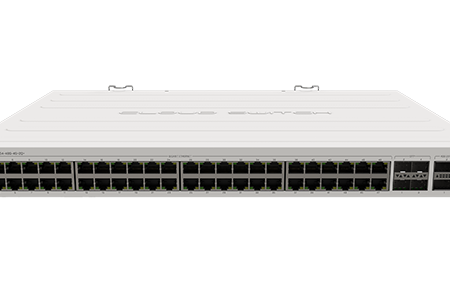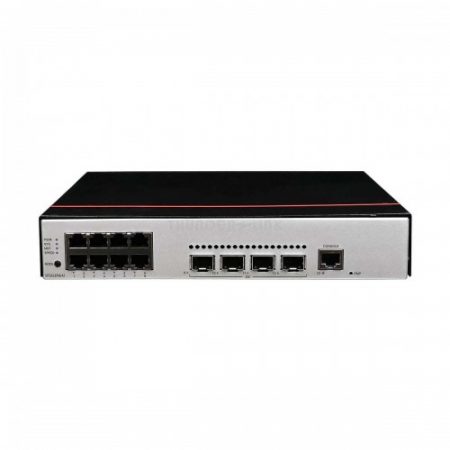


|
Series |
Model |
Software Version |
|---|---|---|
|
S5735-L |
S5735-L24T4X-A |
V200R019C00 and later versions NOTE:
V200R021C01 is not supported. |
Appearance and Structure
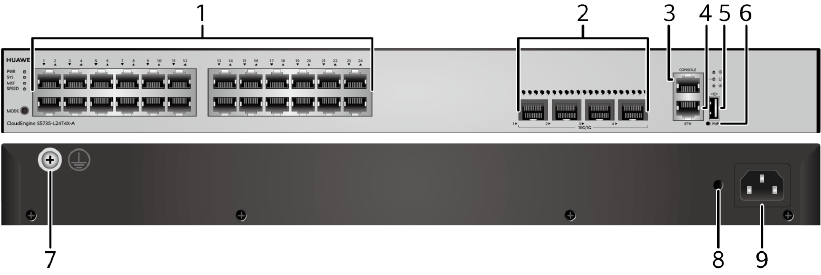
|
1 |
Twenty-four 10/100/1000BASE-T ports |
2 |
Four 10GE SFP+ ports Applicable modules and cables:
|
|
3 |
One console port |
4 |
One ETH management port |
|
5 |
One USB port |
6 |
One PNP button NOTICE:
To restore the factory settings and reset the switch, hold down the button for at least 6 seconds. To reset the switch, press the button. Resetting the switch will cause service interruption. Exercise caution when you press the PNP button. |
|
7 |
Ground screw NOTE:
It is used with a ground cable.
|
8 |
Jack for AC power cable locking strap NOTE:
The AC power cable locking strap is not delivered with the switch.
|
|
9 |
AC socket NOTE:
It is used with an AC power cable. |
– |
– |
Port Description
10/100/1000BASE-T port
10GE SFP+ port
Console port
ETH management port
|
Attribute |
Description |
|---|---|
|
Connector type |
RJ45 |
|
Standards compliance |
IEEE802.3 |
|
Working Mode |
10/100 Mbit/s auto-sensing |
|
Maximum transmission distance |
100 m |
In V200R012C00 and later versions, you can log in to the switch that contains the ETH management port for the first time through the ETH port. For details, see “First Login to a Switch” in the Configuration Guide – Basic Configuration. If you have logged in to the switch for the first time by pressing and holding the MODE button for 6 seconds or longer and saved the configuration, the default configuration on the ETH port will be cleared. In this case, you cannot log in to the switch for the first time through the ETH port. You are advised to log in to the switch for the first time through the ETH port.
USB port

USB flash drives from different vendors differ in model compatibility and drivers. If a USB flash drive cannot be used, try to replace it with another one from a mainstream vendor. Switches support a maximum of 128 GB USB flash drives.
Indicator Description
The S5735-L24T4X-A has similar indicators to those on the S5735-L12P4S-A except that the S5735-L24T4X-A does not have a PoE mode indicator. For details, see Indicator Description.
Power Supply Configuration
The S5735-L24T4X-A has a built-in AC power module and does not support pluggable power modules.
Heat Dissipation
The S5735-L24T4X-A has one built-in fan for forced air cooling. Air flows in from the left side and front panel, and exhausts from the right side.